
Christmas Tree Light Timer Settings: Choose a Schedule Before Hanging
Binghui Wu ·
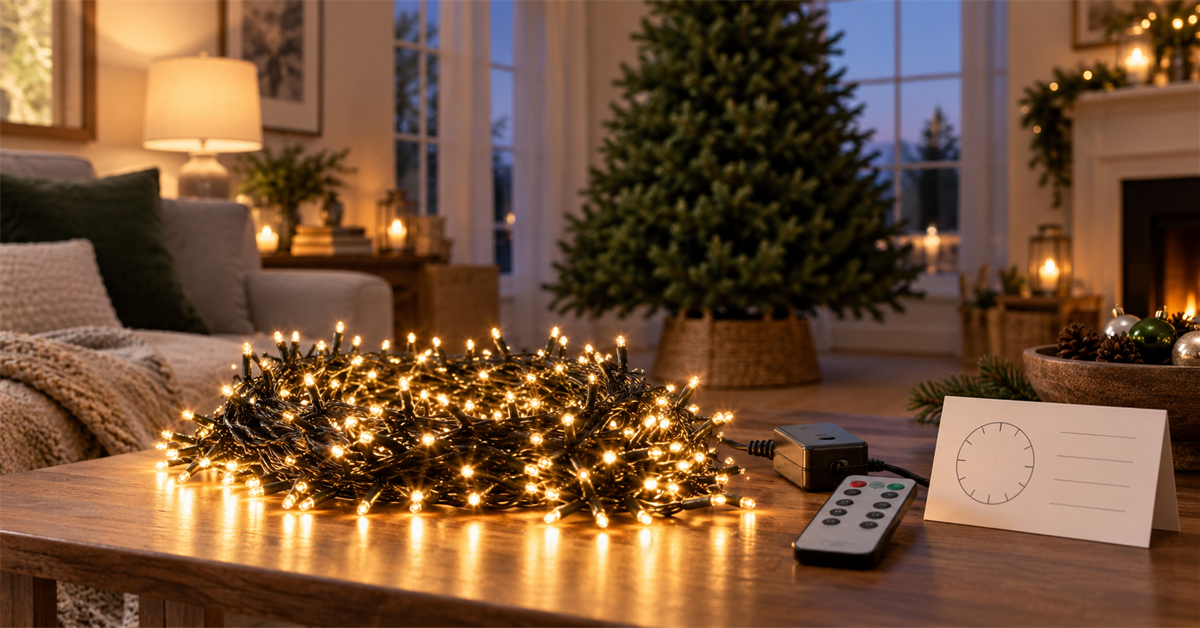
The best Christmas tree light timer settings are the ones you test before the strand is wrapped around the tree. Choose the time you want the lights to turn on, select the documented timer mode, observe a full cycle, and confirm what happens after power is interrupted. The timer should support a safe decorating routine, not replace inspection or end-of-season unplugging.
Key takeaways
- Test the lights, remote, controller, brightness, modes and timer on the floor.
- Activate the timer at the intended daily start time unless the manual says otherwise.
- Do not guess what a coded cycle means; use the exact manual definition.
- Keep plugs, adapters and connections in locations permitted by their own ratings.
List the product's actual timer choices
The ISEEBIZ 25-foot 500-LED cluster lights currently list 6-hour, 8-hour and “6639” cycle timer options, along with remote control, brightness adjustment and memory. Read the supplied controller and timer instructions before choosing among them.
A coded cycle name does not explain itself. Do not infer the on/off sequence from the number alone. Confirm exactly when the lights turn off, whether they restart automatically, and whether the cycle repeats every 24 hours.
Build the schedule around the switch-on time
Choose when the display should begin each day. For an indoor tree, that may be shortly before the household returns home. For an outdoor display, consider local quiet hours, neighbors, and when someone will be present to notice a problem.
| Question | Why it matters |
|---|---|
| When should lights first turn on? | Many built-in timers use activation time as the daily start point |
| How long should the display remain on? | It determines whether a 6-hour or 8-hour option matches the routine |
| Will anyone be awake near the end? | You can verify shutoff during the first test |
| What happens after a power cut? | The timer or memory may need to be set again |
Write the chosen start and expected stop times on a temporary note during the first week. That makes it easier to spot drift or a setting that was not saved.
Test every control before hanging the strand
- Uncoil the strand loosely without pulling or twisting the wire.
- Inspect the plug, adapter, controller, wire and bulbs for visible damage.
- Connect power using the arrangement allowed by the instructions.
- Confirm that the full strand lights.
- Test the remote and the adapter or controller button.
- Check the intended brightness and lighting mode.
- Activate the timer and observe a complete on/off/restart cycle.
Testing on the floor keeps the controller accessible and avoids removing decorations to diagnose a simple setting. Do not leave an uncoiled test strand where people or pets can walk through it.
Understand timer, memory and lighting mode as separate settings
A timer controls when the lights operate. Memory determines whether a previous mode or brightness returns after a normal cycle or power interruption. Lighting mode determines the visual pattern. Test all three together because changing one control may affect another on some products.
Select a steady or dynamic mode that is comfortable for the household. People who are sensitive to flashing light should avoid problematic effects and seek appropriate health guidance. Do not place rapidly changing lights where they could distract drivers.
Set the timer at the intended activation time
If the manual says the timer begins when its button is pressed, wait until the daily start time, then activate it. Look for the documented indicator or response. Avoid pressing several buttons quickly; you may change the mode while trying to set the timer.
Observe the first automatic shutoff. Then leave the power arrangement unchanged and confirm the next scheduled start. A single shutoff does not prove that the daily cycle is saved correctly.
Plan for power interruptions
Unplugging, a switched outlet, a smart plug, or a household power outage can reset some timer logic even when a product has memory for brightness or mode. After any interruption, check the current time cycle rather than assuming it remains aligned.
Avoid stacking independent timers unless the product instructions allow it and you understand which control has priority. A built-in timer connected to another timer can produce unexpected start times.
Protect outdoor connections, not just the light strand
The product page lists the light set as suitable for indoor and outdoor use and gives an IP44 rating. That rating does not automatically apply to every outlet, plug, adapter, extension connection or remote. Follow each component's markings and the manual, use an appropriate protected receptacle, and keep connections in their permitted orientation and location.
Do not install or handle electrical decorations in rain, snow, standing water or unsafe weather. Keep cords away from doors, sharp edges, heat, traffic and places where snow removal or gardening tools may strike them.
Combine the timer with a planned installation
After the schedule test, unplug the lights before installation. Use attachment methods approved for the surface and light set; do not staple or pierce the wire. Keep the controller accessible so you do not pull on the strand to reach it.
If you still need a layout, the guide How to Layer 500-LED Cluster Christmas Lights on a Tree explains route planning and depth. Finish the physical plan before you rely on the timer.
Use a short weekly check
- Confirm start and stop times have not drifted.
- Look for wire damage, loose attachments or a controller that has moved.
- Check outdoor connections after severe weather, only when conditions are safe.
- Verify that decorations have not become covered by fabric, paper or dry foliage.
- Unplug and stop using the set if anything appears damaged or overheated.
Frequently asked questions
Should I use the 6-hour or 8-hour timer?
Choose the documented option that matches the desired start and stop time. Test the full cycle before regular use.
What does the 6639 timer setting mean?
Use the definition in the supplied manual. Do not rely on an assumed sequence based only on the code.
Will the timer remember its setting after unplugging?
Memory behavior can differ for timer, mode and brightness. Test after a brief permitted power interruption and reset the schedule if necessary.
Can I use a smart plug too?
Only if the light set and smart plug instructions allow the electrical load and combined operation. Two independent schedules can conflict.
Test the schedule before decorating
A reliable timer routine begins on the floor: inspect the strand, choose a start time, confirm the entire cycle and learn the power-loss behavior. Once the schedule works predictably, install the lights with the controller and connections still accessible for regular checks.